
前回作成途中だったダイエットアプリの進展があったので報告
前回は体重を入れたら摂取カロリーが表示されるところまでできた。
今回は食べた食事のデータをcsvファイルにして読み込み、各種栄養素の合計と、摂取カロリーを超えるまでどれくらいあるかを表示するようにした。
前回の謎だったフレームを消せない問題はframe名.forget()で消すことができた。
手こずったのは必要栄養素を計算する関数の結果を、別関数で使用すること。
はじめはreturnで返り値を取ろうとしたのだが、関数自体はフォームからのデータを取得してくれないので、うまくいかなかっった。
しょうがないのでそれぞれ空の辞書を定義して、そこに値をぶち込みまくるようにしたらうまくできた。
あとはここに運動とか筋トレの要素を足したり、別のcsvに書き込みして体重や週単位、月単位の摂取量をグラフ化したりしたい。けどそれはまた今度、、、、
最初の画面 前回とほぼ変わらない。
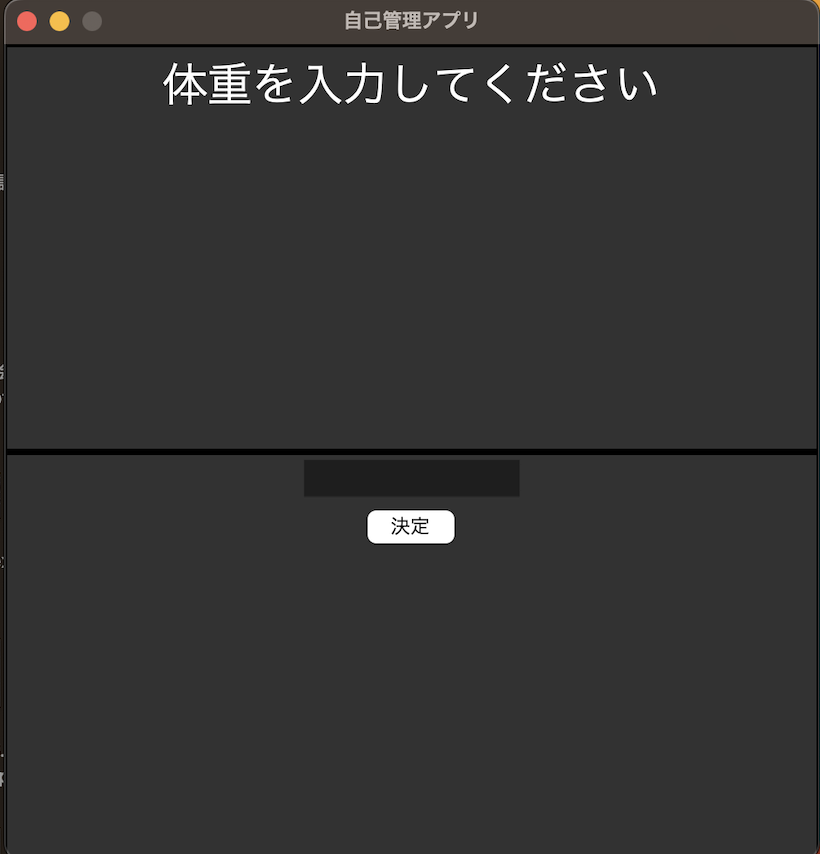
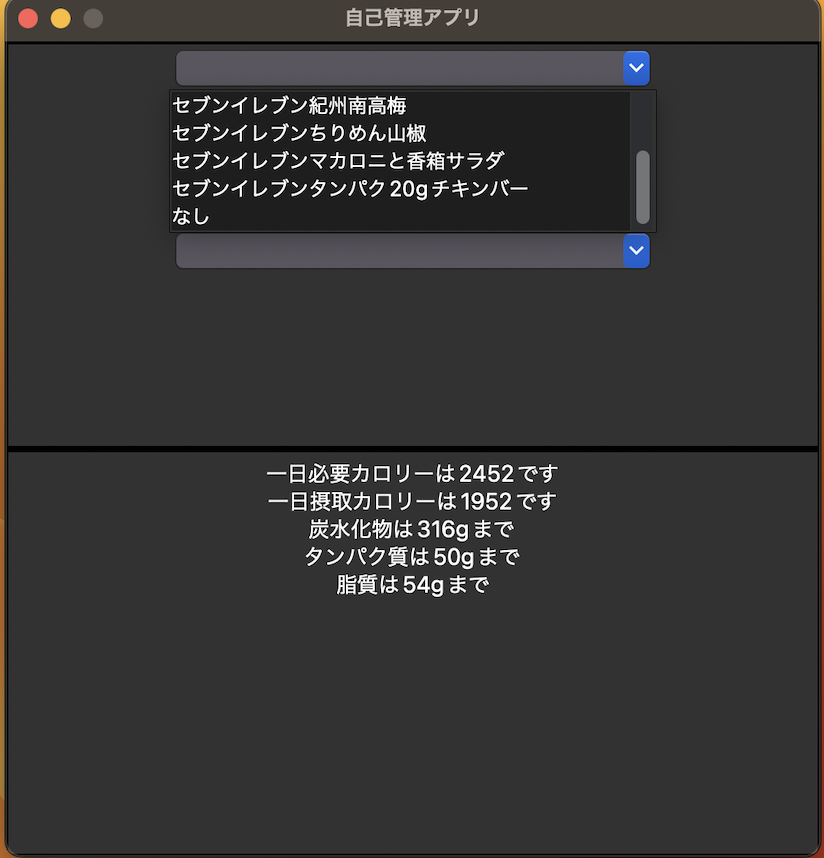
体重を入れると下画面に必要栄養素が出て、上画面に食事選択欄が表示される。
自分はセブンイレブンの使者ではない。近くにセブンイレブンしかないだけである。
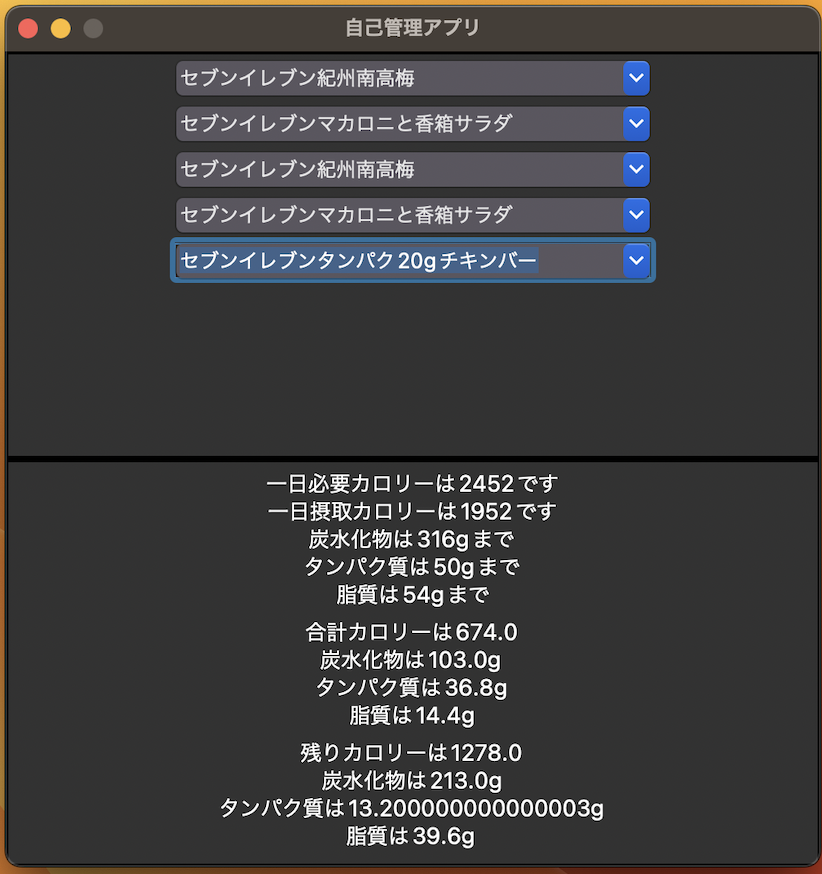
入れると合計栄養素と、残りの栄養素が表示される
コードはこちら
import math
import pandas as pd
from tkinter import *
import tkinter.ttk as ttk

#食事のデータを読み込み
df_info=pd.read_csv("食事表.csv", parse_dates=[0], index_col=0)

#デスクトップアプリ設定
root = Tk()
root.title('自己管理アプリ') # 画面タイトル設定
root.geometry('500x500') # 画面サイズ設定
root.resizable(False, False) # リサイズ設定

#フレームを設定
frame1 = Frame(root, width=500, height=250, borderwidth=2, relief='solid')
frame2 = Frame(root, width=500, height=250, borderwidth=2, relief='solid')


# フレームを配置(grid)
frame1.grid(row=0, column=0)
frame2.grid(row=1, column=0)

# フレームサイズを固定するときはFalse
frame1.propagate(False)
frame2.propagate(False)


# label(フレーム左上)
label_1a = Label(frame1, text='体重を入力してください', font=('', 30))
label_1a.pack()#配置

data_dict = {} #必要栄養素を入れる空の辞書

#必要カロリーを計算する関数
def control():
    BW =float(entry_2b.get())#フォームから得た体重を使用

    # TDR=BMR*AF*SF
    # BMRはハリスベネディクトで計算

    #標準体重を計算し、実際の体重と比べて軽い方を採用
    IBW = 1.66 ** 2 * 22
    if BW > IBW:
        cBW = IBW
    else:
        cBW = BW

    BMR = 66.47 + (13.75 * cBW) + (5 * 166) - (6.76 * 27)
    AF = 1.75
    SF = 1
    TDR = math.floor(BMR
* AF * SF)
    intake = math.floor(TDR - 500)

    # タンパク質1g/kg
    TP = BW * 4
    gram_TP = math.floor(BW)

    # 脂質はintakeの25%
    FA = intake * 0.25
    gram_FA = math.floor(FA / 9)

    # 炭水化物は残り
    Ca = intake - TP - FA
    gram_Ca = math.floor(Ca / 4)

    #結果を表示
    label_2b = Label(frame2, text="一日必要カロリーは" + str(TDR) + "です\n一日摂取カロリーは" + str(intake)
                                  + "です\n炭水化物は" + str(gram_Ca) + "gまで\nタンパク質は" + str(gram_TP)
                                  + "gまで\n脂質は" + str(gram_FA) + "gまで", font=('', 14))
    label_2b.pack()

    # 前の画面を消す
    label_1a.forget()
    entry_2b.forget()
    button_2b.forget()

    #食事選択フォームを表示
    combobox1.pack()
    combobox2.pack()
    combobox3.pack()
    combobox4.pack()
    combobox5.pack()
    data_dict2 = {"カロリー":intake, "炭水化物":gram_Ca, "タンパク質":gram_TP, "脂質":gram_FA}
    data_dict.update(data_dict2) #辞書に計算結果を追加

#合計カロリーと残りカロリーを計算する関数
def select_combo(event):
    #それぞれのデータを取得
    select_info1 = df_info.loc[combobox1.get()]
    select_dict1 = select_info1.to_dict()
    select_info2 = df_info.loc[combobox2.get()]
    select_dict2 = select_info2.to_dict()
    select_info3 = df_info.loc[combobox3.get()]
    select_dict3 = select_info3.to_dict()
    select_info4 = df_info.loc[combobox4.get()]
    select_dict4 = select_info4.to_dict()
    select_info5 = df_info.loc[combobox5.get()]
    select_dict5 = select_info5.to_dict()

    #タイミングは計算の邪魔なので消す
    select_dict1.pop('タイミング')
    select_dict2.pop('タイミング')
    select_dict3.pop('タイミング')
    select_dict4.pop('タイミング')
    select_dict5.pop('タイミング')

    #合計栄養素を入れる空の辞書
    sum_dict = {}    #各項目を足す
    for value in (select_dict1.keys() | select_dict2.keys() | select_dict3.keys() | select_dict4.keys() | select_dict5.keys()):
        num_1 = float(select_dict1.get(value) or 0)
        num_2 = float(select_dict2.get(value) or 0)
        num_3 = float(select_dict3.get(value) or 0)
        num_4 = float(select_dict4.get(value) or 0)
        num_5 = float(select_dict5.get(value) or 0)

        num_total = num_1 + num_2 + num_3 + num_4 + num_5

        sum_dict[value] = num_total

    #結果を表示
    label_2c = Label(frame2, text="合計カロリーは" + str(sum_dict['カロリー']) + "\n炭水化物は" + str(sum_dict["炭水化物"])
                                  + "g\nタンパク質は" + str(sum_dict["タンパク質"])
                                  + "g\n脂質は" + str(sum_dict['脂質']) + "g", font=('', 14))
    label_2c.pack()

    #残り栄養素を入れる辞書
    remain_dict = {}
    #各項目で必要栄養素から合計栄養素を引く
    for value2 in (data_dict.keys() | sum_dict.keys()):
        num_3 = float(data_dict.get(value2) or 0)
        num_4 = float(sum_dict.get(value2) or 0)

        num_total2 = num_3 - num_4

        remain_dict[value2] = num_total2
    #結果を表示
    label_2d = Label(frame2, text="残りカロリーは" + str(remain_dict['カロリー']) + "\n炭水化物は" + str(remain_dict["炭水化物"])
                                  + "g\nタンパク質は" + str(remain_dict["タンパク質"])
                                  + "g\n脂質は" + str(remain_dict['脂質']) + "g", font=('', 14))
    label_2d.pack()

#食事選択フォームの設定
combobox1 = ttk.Combobox(frame1, height=5, width=30, values=list(df_info.index))
combobox2 = ttk.Combobox(frame1, height=5, width=30, values=list(df_info.index))
combobox3 = ttk.Combobox(frame1, height=5, width=30, values=list(df_info.index))
combobox4 = ttk.Combobox(frame1, height=5, width=30, values=list(df_info.index))
combobox5 = ttk.Combobox(frame1, height=5, width=30, values=list(df_info.index))
combobox1.bind('<<ComboboxSelected>>', select_combo)
combobox2.bind('<<ComboboxSelected>>', select_combo)
combobox3.bind('<<ComboboxSelected>>', select_combo)
combobox4.bind('<<ComboboxSelected>>', select_combo)
combobox5.bind('<<ComboboxSelected>>', select_combo)

#体重記入フォームと決定ボタン
entry_2b = Entry(frame2, width=14)
button_2b = Button(frame2, text='決定', cursor='hand2', command=control)
entry_2b.pack()
button_2b.pack()


root.mainloop()
それではまた。
参考文献:Python ハンディプログラミング事典
コード調べたい時に使えるかなぁと思って買ったが、ググった方が早くて使っていない。電車の中で眺めているとたまに新たな発見がある。気がする。

コメント